


Replacing an Online Store’s Checkout: When You Need a New Module

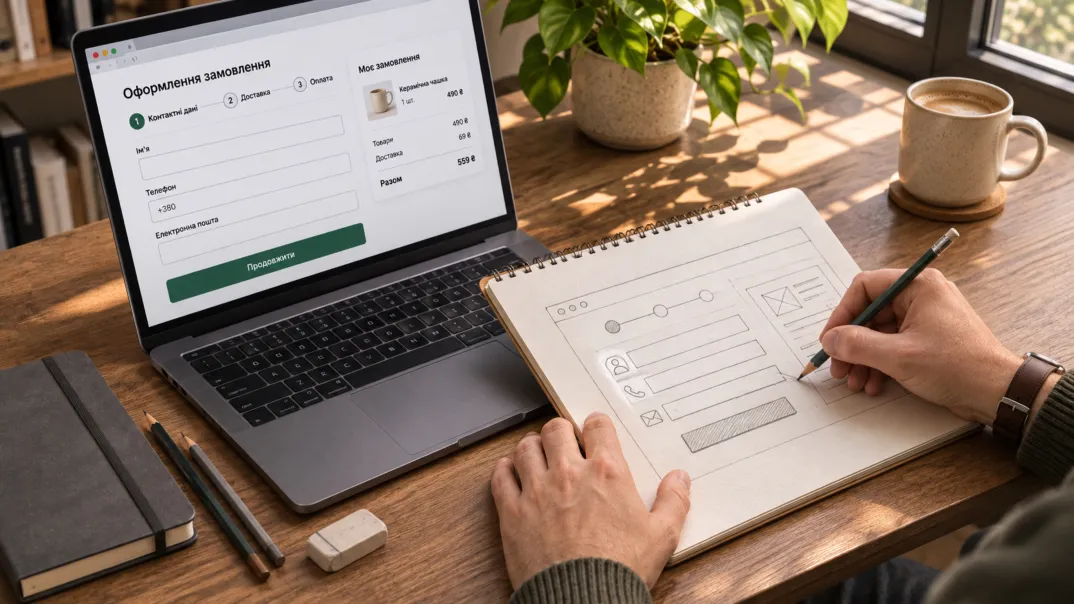
Checkout replacement for an online store makes sense when the existing checkout module cannot support the customer journey you need without constant workarounds. If the only problem is a confusing field or a slow response from a delivery service, a new module may add costs while leaving the cause of lost sales untouched. The store owner therefore first needs to decide the scope of the changes: fix the form, replace its interface, or rethink the sales process itself.
A typical situation: the team proposes a ‘modern one-page checkout’, and the manager sees it as a way to end arguments about abandoned carts. Yet delivery, promotions, payments and order records remain behind the new screen. Below is how to compare the options before buying a module and avoid paying for a complete rebuild where targeted improvements would suffice.
What exactly are you replacing: the form or the sales rules?
Checkout is the journey from the cart to a placed order, not just the arrangement of fields. Replacing the interface changes how the customer interacts with that journey, but does not necessarily change price calculations, stock reservations or payment confirmation. The contractor’s proposal should identify these boundaries separately.
For example, a customer selects a delivery branch, applies a coupon and proceeds to the bank. The screen may become easier to use, but a new design will not fix an incorrect carrier rate. Likewise, the payment button does not determine when the order reaches the CRM or which status the manager sees. If these rules change, that is separate integration work, not a theme installation.
Ask for the proposal to define the scope of checkout replacement: what will remain unchanged, what will be reconfigured and what will need to be developed from scratch. This description should cover guest checkout, the customer account, addresses, discounts, available payment methods and the return from the payment page. Such a document helps compare estimates with the same scope of responsibility.
For GL.ua (Glyanets), the relevant task here is developing an online store together with payment, delivery and order management integrations. This does not mean that every store needs to migrate to another platform. First, establish whether the current foundation can meet the business requirements, and only then choose the scale of the rebuild.
When is a fix enough, and when do you need a new module?
Keep the existing checkout if the problem can be isolated and fixed without compromising maintainability. Consider replacement if the required journey conflicts with its architecture or every change triggers further dependent rework. Choose a complete process redesign when it is not the form that changes, but the way orders are accepted.
| Option | When it is appropriate | What to require in the proposal |
|---|---|---|
| Improving the existing module | Unnecessary fields, unclear errors, an inconvenient input sequence | A list of targeted changes and an explanation of how they will survive updates |
| Replacing the checkout interface | The existing module limits the required interaction, but the sales rules remain unchanged | Confirmation of compatibility with payments, delivery and custom form elements |
| Redesigning checkout | Approvals, a new order type or a different settlement procedure are being introduced | An order state model, data owners and changes to related integrations |
Criteria for an informed choice:
- the required journey is clearly described and goes beyond ‘make it more modern’;
- it is clear why a targeted fix is insufficient or harder to maintain;
- key payment and delivery scenarios have a confirmed implementation path;
- someone is responsible for updating the new solution and its adapters;
- the expected result can be tested in your own store.
Do not confuse this decision with choosing a payment acquiring service. A comparison of fees and service terms is covered in the article on the total cost of payment gateways. The issue here is different: will the new form preserve the required way of interacting with the provider you have already chosen?
Why does ‘supports payments’ not yet confirm compatibility?
Compatibility needs to be checked for the specific checkout version, payment extension and required feature. Having a server-side module does not prove that its buttons, embedded form or return after payment will work in the new interface. The estimate should make clear which connections are ready and which require adaptation.
Hyvä Checkout for Magento and Adobe Commerce is an illustrative example. Its official documentation describes separate compatibility modules for payment integrations and advises checking support for the required version series with the vendor. Delivery integrations with additional interface elements, such as a map or address search, may also require separate modules. This is an example of product dependencies, not a universal recommendation to choose it.
The list of Hyvä payment integrations separately identifies those responsible for implementation and support. For a business, this matters more than the provider’s logo: who will fix a failure after an update — the checkout developer, the adapter author or the store’s team? Get an answer before signing off on the work.
Ask for an integration compatibility matrix with columns for ‘feature’, ‘version’, ‘demo confirmation’, ‘customisation required’ and ‘responsible party’. Break the ‘card payment’ row down into the scenarios you actually need: redirecting to the provider, additional bank verification, cancellation and returning to the store. Do not request unnecessary features your business does not use.
One page or several steps: what should the demo show?
Choose the layout based on the complexity of the customer’s task, not the number of screens. A one-page form does not eliminate required data, and several steps do not automatically make checkout inconvenient. The demo needs to show how someone completes a purchase in your store and corrects an error.
Start with the most important segment: a guest on a smartphone, a returning customer or a company with separate business details. For each scenario, keep only the data needed for the relevant delivery and payment methods.
How do you test a delivery change without re-entering data?
The customer should see which details and amounts have changed after choosing a different delivery method. Relevant information already entered should not disappear without a reason, and fields that no longer apply to the new method should not block the purchase. In the demo, test the transition between options, not just each one separately.
A hypothetical example: the customer initially chose courier delivery, then switched to a delivery branch. The form needs to remove the apartment number requirement, display the branch selection and update the delivery total. If the form retains the old address as the shipping destination or leaves a hidden required field, the new checkout is not yet ready for this scenario. This is not a GL.ua case study, but an example for your own demonstration.
What should happen after an error?
The form should explain what needs correcting and preserve data unrelated to the error. A ‘something went wrong’ message without a next action is not sufficient for acceptance. Separately agree on what should happen when the store has not yet received the final payment result.
Demonstrate an incorrect phone number, an unavailable delivery branch and cancellation on the payment page using a smartphone. Check keyboard access to buttons, the visibility of errors beside fields and how easy it is to return to the order summary. Preserving entered data is a specific interaction requirement here, not a decorative benefit of a new module.
How do you separate the effect of the new form from service problems?
Before replacement, record exactly where a delay or failure occurs: in the browser, during the delivery calculation or on the payment side. A new form can change how the interface works, but does not in itself speed up an external response. Without this distinction, you cannot fairly assess the return on the investment.
Compare identical carts, devices and payment methods. An increase in button clicks does not equal an increase in paid purchases. If analytics event names change after the release, retain a mapping between the old and new tracking.
Agree on a method for verifying the result before release. Seasonality, new advertising or a different product range can undermine a ‘before and after’ conversion comparison, so do not treat such a comparison as proof of the new checkout’s effect.
Testing throughput is a related but separate task. If the form works normally under ordinary conditions and fails only at peak times, it is more useful to first identify the bottleneck using the approach to commissioning checkout load testing. This is not a reason to automatically buy another module.
What should the replacement estimate include?
Compare the full scope of implementation and ongoing support, not just the licence price. The main components are examining the existing process, designing the form, adapting integrations, transferring custom rules, testing and launch. The timeline is determined by the least-confirmed dependencies, not the number of fields in the mock-up.
List the cost of adapters and support separately. For an off-the-shelf module, clarify the licence terms, access to updates and responsibility for compatibility. For custom development, clarify documentation, automated checks and code handover. A cheaper initial implementation may be difficult to develop further if every update requires manual fixes all over again.
- List the dependencies.
- Demonstrate the highest-risk scenario.
- Complete the form and prepare the switchover.
The absence of a confirmed delivery adapter should be reflected in the estimate before the main layout work begins.
When replacing checkout, there is no need to change product and category URLs unnecessarily. Instead, check whether links from the cart, access rules for private pages and the behaviour of the confirmation page have changed. Address and order data must not enter the public cache. Include requirements for analytics, personal data protection and the related SEO architecture in the specification so they are not left ‘outside the design scope’.
What decision should you take into development?
Approve replacement only when the team can name the limitations of the existing checkout, demonstrate the required journey in the new one and explain the transition cost. If this is missing, it is more sensible to commission an investigation or a prototype. The outcome of the choice should be a justified scope of changes, not simply the name of a module.
Before launch, document the conditions for reverting to the previous solution: who makes the decision, which signs of failure trigger it and how orders already created are handled. The old interface cannot be considered a ready fallback without checking its compatibility with the new settings. The switchover must preserve correct sales processing, not merely bring back a familiar page.
To discuss your store’s development, prepare a list of current payment and delivery methods, examples of problematic purchases and the desired checkout journey. On the GL.ua online store development page, you can describe this task for an estimate: targeted improvements, a new interface or a broader rebuild. This way, the conversation starts with the changes the business needs, not a promise that a different form will increase sales on its own.
Do you need to change the entire platform along with checkout?
Not necessarily: sometimes a different module or targeted improvements are enough. A move to a new platform should be assessed separately if the current foundation does not support the required sales rules.
Can you keep different checkout flows for wholesale and retail?
This distinction can be included in the requirements, but support for it needs to be confirmed in the chosen solution. Check how the customer type is determined and what happens if it changes during checkout.
What happens to carts customers created before the switchover?
Agree on this with the contractor before launch rather than leaving it to the module’s incidental behaviour. Test an existing session on the new checkout and provide a clear path if continuing automatically is not possible.
Can checkout be tested without real charges?
For initial checks, use a test environment and the test mode permitted by the provider. This does not replace an agreed final check of the live settings: the procedure for that check depends on the provider and integration.
Who should hold the licence for a paid module?
Agree in advance on the licence owner, access to updates and the ability to hand support over to another contractor. The specific rights are defined by the vendor’s agreement, so check them before purchase rather than relying on the product’s general name.
Just one step to your perfect website