Returns portal for an online store: requests, exchanges and RMA decisions

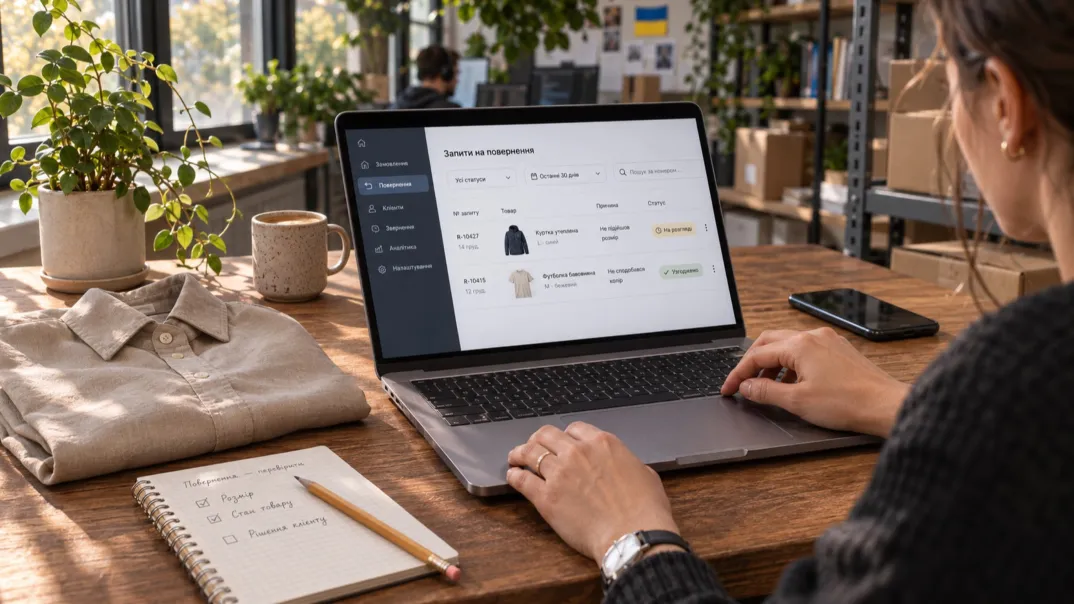
A customer wants to return one item from an order, but support receives only a photo of the box and a message saying “it wasn’t right”. Staff have to find the purchase, clarify the quantity and explain the next step again. A returns portal should remove this uncertainty: let the customer select the specific product, provide an explanation and follow the request through to a reasoned decision.
Start with a request, a person responsible and clear messages. Automate approvals only where the business has already defined the rules and can verify that they are being followed.
What a returns portal should actually do
RMA stands for Return Material Authorization: permission to return goods. In the portal, the RMA number links the request, line items, attachments and decision. Distinguish between registering a request and authorizing the shipment of goods: receiving a number does not, in itself, mean approval.
The customer creates a request and returns to it without starting a new correspondence. Within the same case, a staff member asks for clarification, approves actions or explains a rejection. Every change has an author, a timestamp and a person responsible for the next step.
In Shopify’s documentation on self-serve return requests, the customer submits a request from the order status page and the merchant reviews it. This is functionality of a specific platform, not a ready-made feature of every Drupal store.
Do not confuse this project with choosing an order management system. If the problem extends beyond a post-purchase request, the article on criteria for needing a separate OMS may help. A portal can work with the existing store and back-office system without replacing the entire architecture.
A request starts with a line item, not a free-form email
A product return request must refer to a line in the original order: the line item ID, variant, quantity purchased and quantity requested for return. The SKU alone is not enough if the same product was ordered several times or received in separate shipments. For bundles, agree separately whether the process supports requests concerning an individual component.
Fields that help make a decision
The customer selects a reason from a clear list, adds an explanation and chooses the desired outcome: a return or an exchange. This is a preference, not an automatic promise from the store. The form shows the clarification needed for the selected reason: for example, a description of damage or the product variant the customer expected to receive. Do not make people enter internal warehouse codes.
Collect photos and documents with an explanation of their purpose and according to a list agreed by the business. Provide an alternative channel if a file will not upload. Specify formats and file size, preserve the text after an error and do not ask for payment card details.
Protection against duplicates and access to other customers’ orders
A guest must verify access to the purchase: an order number alone is not enough. In the customer account, verify on the server that each order line belongs to that customer. Email links and attachments also need access restrictions.
Clicking “Submit” again or retrying a request after a connection failure should return the same case. Separately check quantities in requests that are already open so that two tabs cannot create conflicting requests for the same unit. At the same time, a legitimate new request for another line item should not be blocked merely because it shares the same purchase number.
Statuses should explain the next action
“In progress” may mean waiting for an agent, clarification from the customer or an inspection. For each stage, define who changes the RMA statuses, on what basis and what the customer will see.
| Criterion | Process requirement | Sign of readiness |
|---|---|---|
| Registration | The request is saved and has an owner | The customer sees a number and the next step |
| Clarification | The agent has identified the missing information | The reply is added to the same case |
| Approval | Line items and shipping instructions are defined | The customer does not confuse authorization with completion |
| Inspection | The quantity received and condition are recorded | Discrepancies have an explanation and a person responsible |
| Decision | There is an outcome for each line item | A rejection or exchange is explained separately |
| Completion | All agreed actions are confirmed | An outstanding obligation is not marked as closed merely for the record |
After approval, the customer receives the handover method and a list of authorized items. Shopify’s guide to managing returns restricts shipping label creation in its admin panel to specific conditions for the United States and Canada. Check the Ukrainian workflow with the chosen delivery service.
Send notifications about events that change the customer’s actions or expectations: a request for clarification, approval, receipt of goods, a delay or a decision. The customer account remains the primary place to check the status even if an email is not delivered. An internal note must not accidentally appear in a customer-facing template; a public explanation needs a separate field.
Partial returns and exchanges: a hypothetical example
A hypothetical example, not a GL.ua case study: a customer received two shirts and a belt. They want to return one shirt and exchange the other for a different size, while keeping the belt. The portal creates one case with two lines and different desired outcomes. No action is applied to the belt simply because it belongs to the same order.
Suppose the business allows both shirts to be sent back after the agreed review. A staff member provides instructions and the customer adds a tracking number. If only one shirt actually arrives, the second line remains open with an explanation of the discrepancy. A carrier’s “delivered” status does not yet describe the contents of a particular parcel.
For the exchange, the required size and terms are confirmed separately. If that size is unavailable, the customer is offered an option agreed by the business rather than having the outcome changed without notice. A separate related issue is confirming available-to-promise stock (ATP).
If one line item is not approved, the case must retain the grounds for the decision, a clear message and a channel for clarification. In Microsoft’s documentation on returns, authorization, receipt, inspection and determining the next action are described as separate parts of the process. This is a useful guide for a portal: do not show an overall “completed” status while the outcome of even one line remains undecided.
Business rules, access rights and exceptions
Before development, appoint an owner for the returns policy. The business must review eligibility conditions, time limits, exceptions, documents and financial consequences with a qualified specialist, taking its operations into account. This article describes service design; it does not establish a legal right to return goods or replace that review.
Store the version of the rules applied in the system, and record any manual exception together with an explanation and its author. An agent does not necessarily need permission to change policy or authorize a financial action. The warehouse records receipt and inspection, support manages the dialogue, and an authorized role approves the outcome. The precise division depends on your team, but a shared account obscures accountability.
It is better to send an unknown or contradictory situation for manual review than to reject it automatically because information is missing. Provide a route for a lost parcel: a staff member checks the shipment and contacts the customer, while the case does not move into the standard waiting-for-inspection state. If inspection is delayed, explain the reason and when the next update will be provided, rather than substituting an invented completion date.
Updates between the portal and the back-office system may be delayed. An exchange log, a visible error and a person responsible for checking again are therefore needed. Protect attachments from unauthorized access, check file types and agree retention periods. These measures reduce specific risks but are not a promise of absolute security.
How to accept the service before launch: practical tests
Prepare test orders without real personal data. For customer, agent and warehouse staff roles, record the expected states, messages and people responsible. Test more than just form submission:
- Open another customer’s order and a link to another customer’s attachment. Access must be denied without showing line items or the customer’s contact details.
- Submit a partial request, click the button twice and repeat the action after a connection failure. Check that there is a single case number and that the requested quantity is unchanged.
- Request clarification and add a reply from a phone. The request should return to the person responsible, and text already entered should survive a file error.
- Approve one line and reject another. Check the separate explanations, instructions for the authorized item and absence of internal notes in the email.
- Reproduce an exchange where the required variant is unavailable. The system must not show a confirmed exchange without an agreed outcome.
- Mark a parcel as missing, then delay the inspection of received goods. A separate notification and escalation route must work for each situation.
- Disable data exchange with the back-office system and email delivery. Check for a visible error for staff, an up-to-date status in the customer account and recovery without duplicate actions.
Cross-check the request lines, decision log and messages. Review the clarity of the wording with support. Work through the form using a keyboard and on a narrow screen, including selecting quantities and reading instructions.
Timelines and costs: what needs to be assessed
The schedule depends on the readiness of rules, data and integrations. Before estimation, show the contractor examples of partial requests, exchanges and rejections: the time needed to develop the form itself is not the time needed to launch the service.
From prototype to a controlled pilot
First agree the rules and wording, then test the prototype against real types of requests. Next implement access to the purchase, the case model, the staff workspace and notifications. Connect integrations with error checks, then run a pilot on a limited, agreed flow. Expand it after reviewing exceptions, not just after demonstrating the interface.
In the estimate, separate process analysis, design, development, integrations, testing and training. Account separately for attachment storage, email or SMS services, monitoring, support and updates. The time agents spend on clarification and inspection is an operational component that a new form does not remove. For a low volume, a structured form and a queue with manual decisions may be enough instead of a separate complex system.
Assess the clarity of decisions, not the number of closed requests
Measure the time to the first meaningful response and to a decision, repeated clarification requests and open cases by age. Show waiting time for the customer, delivery and inspection separately to locate delays. Set targets based on your own flow and agreed commitments, not someone else’s benchmark.
A service that is ready gives customers a clear next step and the team control over the outcome of each line item. If rules or responsible people are missing, close those gaps first: the portal does not make business decisions for you.
To assess a module like this for your website, contact GL.ua (Glyanets) about online store development and send a request workflow with examples of partial returns and exchanges. This provides a basis for discussing the prototype, integrations and scope of the first stage.
Just one step to your perfect website