Webflow or WordPress: how to test website portability

Webflow or WordPress is not just a choice of editor and payment method. Before commissioning a corporate website, check exactly what your company will be able to take away from the platform: text, files, data structure and working functionality. An archive of code does not necessarily mean the website will run in another environment, and a spreadsheet of articles is no substitute for a system to manage them.
A practical way to reduce uncertainty is to commission a small migration test before approving the full project. There is no need to migrate the entire website or immediately abandon a convenient platform. Testing a typical piece of content, a complex relationship between records, an enquiry form and one additional language is enough. The result will show where you are buying a convenient service and where you are taking on future rework.
First, define the independence you are testing
A business owner may have various reasons for changing environments: a new team, different hosting, a more complex content structure or the need to connect the website to an internal system. These are different tasks. Handing a project over to another contractor within the same platform is not the same as moving to a different CMS — a content management system. And transferring finished pages does not guarantee that an editor will be able to create new ones.
For this article, independence means the ability to reproduce an agreed business workflow outside the original environment. For example: an editor adds a case study, links it to a service and publishes Ukrainian and English versions, while a visitor sends an enquiry to the responsible manager. You need to test the entire chain, not just how the page looks.
What export actually means in Webflow
According to Webflow’s official code export documentation, HTML, CSS, JavaScript and assets can be exported on paid Workspace plans. A Site plan alone does not provide this capability. So, even during evaluation, clarify exactly what access the company has and who will carry out the export. Verified on 3 November 2026; the terms should be checked again before purchase.
Page code is not a copy of the CMS
Webflow explicitly states that code export does not include CMS or ecommerce content and functionality. Built-in form processing and search will not work on the exported website; localized pages and content are also excluded from this package. A polished archive of pages should therefore not be accepted as proof of a ready-to-go migration for a corporate website with a case study catalogue and multiple languages.
Content and media need separate checks
Webflow’s documentation on importing and exporting Collections describes a separate export of records to CSV — a tabular data exchange format. The export covers the current language version. Images and files are represented by URLs, not necessarily by standalone files. If the original website is deleted, linked assets may disappear and the links in the spreadsheet may stop working.
So content portability is tested not by the presence of an Export button, but by the result of loading the content into another system. Has text formatting been preserved? Has the relationship between a case study and a service been recreated? Have media files been uploaded to new storage? Until these questions are answered, the original environment should not be considered dispensable.
What to distinguish in WordPress
This refers to self-hosted WordPress, not the range of WordPress.com plans. The built-in Tools Export feature generates a WXR XML file containing posts, pages, custom post types, fields, categories and other data listed in the documentation. This is a way to exchange content, but not a complete portable image of a working website.
A full restore of a typical WordPress website requires both the database and the files. This is precisely what the official backup guide explains. The theme, plugins, uploaded media and custom modifications must be accounted for separately. At the same time, even a complete copy of WordPress does not turn its features into ready-made modules for another CMS.
The practical conclusion for the client is this: being able to change hosting does not guarantee an inexpensive change of platform. If a form, case study card or multilingual functionality is implemented through a particular extension, check the dependency on it. You need to know the component’s name, terms of use, data format and the work required to replace it. Open source provides tools for control, but does not eliminate the technical work.
Compare migration results, not lists of buttons
Use the same business workflow for both options. The table below is not a platform ranking, but a list of evidence to request before approving the architecture. The specific WordPress implementation depends on its theme, extensions and custom code, while Webflow’s capabilities depend on current terms and the features used.
| What to check | Webflow | Self-hosted WordPress |
|---|---|---|
| Design and code | Check access to code export and the scope of the package | Obtain the theme, extension and custom code files |
| CMS records | Export the required Collections separately to CSV | Check WXR or another agreed migration method |
| Media files | Save the assets; do not rely solely on external URLs | Verify uploaded files and their relationships with content |
| Forms and search | Plan replacements for functionality outside Webflow | Check dependencies on plugins and settings |
| Other languages | Check separate exports and the recreation of localization | Check the data model of the language solution in use |
Each row needs evidence: a file, an import report, a test page or a successfully submitted enquiry. If a feature does not transfer automatically, assess its replacement before approving the project.
How to run a test before the full launch
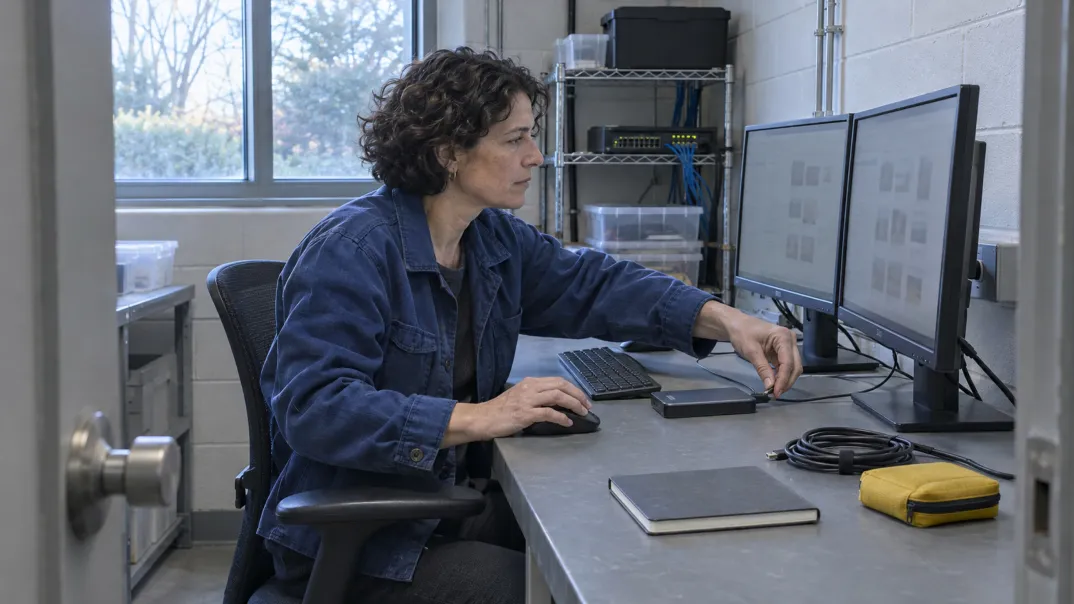
A website migration test should be limited in scope and repeatable. Work in a separate environment and use fictional contact details clearly marked as test data. There is no need to change the live domain, delete the original project or test actual mailings on clients. The goal is to obtain proof that the workflow works, not to carry out an early migration.
- Compile a sample of data types: a standard page, a record with a relationship, content with a media file and an additional language. Choose different structures, not just the simplest pages.
- Describe the expected fields and actions. For a case study, these might include a title, text, image, service, language, page URL and the ability to edit it later.
- Export the data using the agreed tools and prepare a description of the package. Specify separately what it does not contain: files, form settings, templates or relationships.
- Import the sample into the target test environment. Match the records against the original list, and check Ukrainian characters, links, media and language correspondence.
- Recreate one end-to-end workflow: an editor changes the content and publishes it, a visitor submits a test enquiry, and the responsible person receives it at the agreed destination.
- Record manual corrections and repeat the import. If duplicates appear or changes are lost on the second attempt, the migration method is not yet ready to scale.
Agree on acceptance criteria before starting: which fields are mandatory, what must be editable without a developer, where enquiries are delivered and which assets must not depend on the old website. The test outcome is a list of completed checks and functionality that has not been restored, not merely a demonstration of a page on a screen.
Risks worth turning into contractual conditions
The most obvious risk is a mismatch in the deliverable: the contractor hands over an archive while the company expects an independent working website. In the list of deliverables, separate design, content, media, functionality and documentation. For each item, specify the responsible person, the handover format and the verification method. This is an organizational recommendation; your legal specialist should review the legal terms.
The second risk is incomplete control over access. Agree on the owners of the project, domain and external service accounts, and on the procedure for transferring permissions to a new team. List the responsible people in the report, but not passwords or keys.
The third risk is a hidden dependency on old assets. A page may look correct while images or scripts are still loading from the original environment. Check where assets come from and include any necessary replacements in the estimate. The mere fact that a page opens successfully does not prove its independence.
Search visibility is a separate limitation. This test does not replace an actual migration plan or guarantee that rankings will be retained. If URLs or structure will change after the platform is chosen, the relevant work should be covered by a separate SEO audit and technical optimization review. Do not confuse proof of data portability with a forecast of future traffic.
What determines the test’s timeline and cost
Duration is determined less by page count than by the variety of structures and dependencies. Repetitive articles and a catalogue with relationships between services, experts and regions require different preparation. The greatest uncertainty usually comes from fields that have not been agreed on, missing access, custom extensions and external services without a documented handover process.
Plan the work in stages: inventory, sample selection, export, import, workflow restoration and retesting. After the inventory, the estimate for the next stage can be refined. Do not agree to a promised timeline for a full migration solely because a small sample opened successfully: larger volumes and other data types may reveal additional problems.
In the estimate, separate structural analysis, data preparation, test environment setup, media handling, import, feature replacement, testing and documentation. Account separately for the necessary platform plans, extension licences, hosting and external services. The budget for a future migration should also include a period of parallel operation of the environments and post-launch checks.
Compare recurring payments and technical support with the cost of a possible change of environment. Expensive preparation for a purely hypothetical migration may also be unnecessary: the level of independence should be determined by actual business requirements.
How to make a decision after the test
If Webflow meets the required editorial workflow and the company accepts its service model and export limitations, there is no need to abandon it for the sake of abstract independence. If control over the WordPress environment matters, check not only the ability to copy it, but also the maintainability of the specific theme, extensions and integrations. No CMS name is a substitute for checking its implementation.
When both options require significant workarounds for roles, relationships or business processes, it is worth broadening the comparison of architectures. GL.ua (Glyanets) specializes in Drupal; this is another option to evaluate, not an automatic winner of the test. Give the team a list of the required workflows and the trial export results to discuss Drupal website development tailored to your processes. The next step is to agree on the solution’s scope and acceptance criteria, not to buy a platform based on an overall ranking.
Just one step to your perfect website