Headless CMS for an Online Store: When the Architecture Is Justified

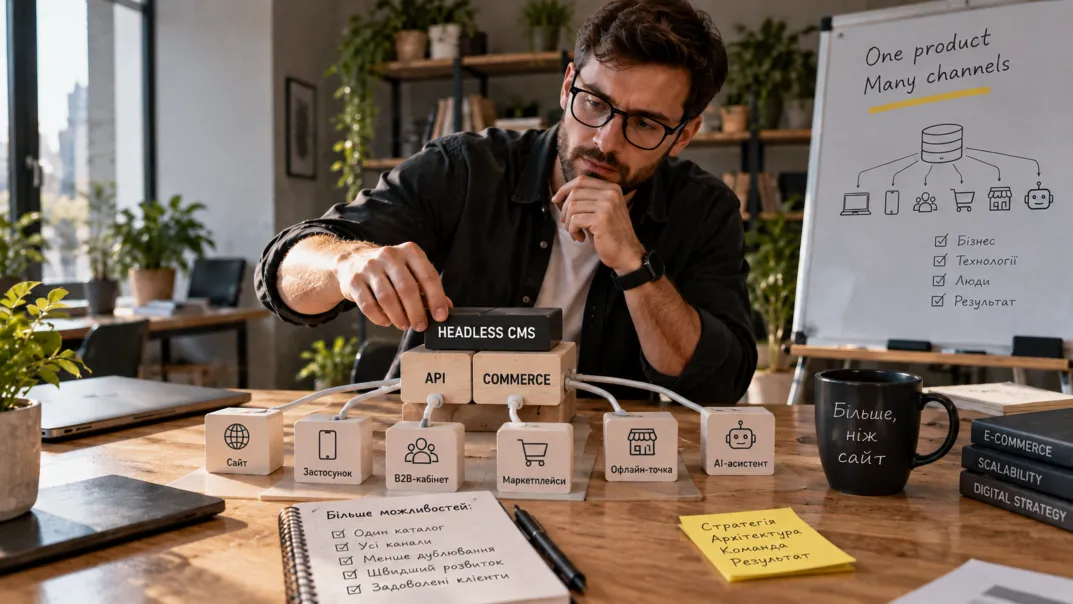
A modern online store rarely lives on the website alone. The same catalog is shown by a mobile app, a B2B portal for dealers, marketplaces, a consultant’s tablet in an offline store and now an AI assistant as well. When every channel keeps its own copy of descriptions and specifications, discrepancies appear within weeks: the product composition is updated on the website but stays old in the app; the price is one in the B2B portal and another on the marketplace.
Headless CMS for an online store solves this radically: the content management system is no longer responsible for how a page looks. It stores content and business logic, and any interface receives the data it needs through an API. Many myths have grown around this approach, so let’s start with them.
Four myths about headless
Myth 1: headless is always faster
A separate frontend gives control over speed but does not guarantee it. A heavy JavaScript bundle or a slow API will easily cancel out the advantages. Speed comes from working with critical resources and caching, not from the architecture itself.
Myth 2: headless harms SEO
The approach itself is neutral. Problems appear when key pages are rendered only in the browser. If categories and products are served by the server, have their own addresses, metadata and regular links, the search engine sees them just as it does in a classic CMS.
Myth 3: everyone needs headless
For a store with one sales channel and a standard catalog, it usually only adds costs. A simple test: if you cannot name at least two channels that need the same content and a business task that the CMS currently blocks, there will be no benefit.
Myth 4: headless and headless commerce are the same
A headless CMS manages content: pages, banners, descriptions, articles. Headless commerce additionally covers products, prices, cart, promo codes and orders. A store usually needs both, so the architecture is planned as a whole.
What “cutting off the head” really means
In a classic CMS the admin panel, templates and rendering work as one: the editor clicks “Save” and the system assembles the page itself. In a headless setup the interface is separated: the CMS and commerce backend serve data through an API, while the website, app or partner portal are separate programs that take this data and display it in their own way.
Drupal, which powers many e-commerce projects, has the JSON:API module right in core, so it can be used as a backend for a separate frontend without third-party add-ons.
Three architectural options, not two
The choice is rarely binary. In practice a store chooses between three states.
| Option | When it fits | Benefit | Risk |
|---|---|---|---|
| Classic monolith | One channel, standard catalog | Cheapest and fastest | Hard to add new channels |
| Partially decoupled frontend | Fast UX needed on some pages | You can move step by step | Two rendering models at once |
| Full headless | Several storefronts, complex integrations | Independent channel development | Highest cost and team requirements |
The middle option is often underestimated, although it delivers most of the benefit without a full platform rebuild.
When headless really pays off
The strongest argument is several channels with one catalog: a manager changes a specification once and it updates everywhere. For chains with several brands or countries this saves dozens of hours of manual work every month.
The second is independent storefront development: the frontend team reworks the cart or the product card without touching order processing. The third is complex integrations with PIM, ERP, CRM, search and AI services. There is a trap here: the API must be designed as a separate product, with versions, access rights, logs and rate limits.
The fourth scenario is when a special mobile experience is needed, for example a PWA with an offline mode and installation on the device.
What changes for the content team
This aspect is underestimated most often. In a regular CMS the editor sees the page almost as the shopper will. In headless, content is stored separately from design, so preview, drafts, approvals and publishing to several channels have to be designed separately.
Before development starts, agree on which components the editor will use to assemble pages, how preview will work, who approves changes, how localization is arranged and what happens when the API structure changes. Otherwise a technically perfect system becomes inconvenient for the people who fill the store every day.
SEO and security in a headless project
The search engine needs full pages: an own address, a correct status code, title, description, canonical, structured data and regular HTML links. Key store pages need server-side or pre-rendering — Google executes JavaScript with a delay, and other robots and AI services may not execute it at all. Filter indexing rules are designed separately: we described how in the article on faceted navigation. If the launch comes with address changes, all the rules from our plan for a redesign without losing SEO apply.
Separating the frontend does not make the system safer — on the contrary, it adds an entry point. The public storefront may only read permitted catalog data, operations with a profile, cart or order verify the user, and access keys never end up in frontend code.
What it costs
The budget is not limited to the CMS license or setup. The total cost of ownership includes a separate frontend and its hosting, the API and integration layer, preview for editors, search and caching, authorization, monitoring, test environments, data migration and preserving SEO. You now maintain not one system but several.
At the start a headless project is usually significantly more expensive than a classic one. It pays off where the speed of launching new channels and features brings more than the complexity costs. The calculation logic resembles the comparison of low-code and custom development: count over two or three years, not over the launch.
A plan for the first 90 days
The first month is research: a list of channels and scenarios for two to three years, the limitations of the current CMS, an audit of the catalog and integrations. The second is a prototype of one critical scenario — for example a shared product card for the website and the app — with real data and speed measurements.
The third month is the decision and the plan: comparing three architectural options by cost, risk and team readiness, choosing a rendering model, SEO rules and a list of stages. Only after that does full storefront development begin.
Frequently asked questions
Is headless suitable for a small store?
Mostly not. With one sales channel a classic CMS gives the same result cheaper and faster.
Can you move to headless gradually?
Yes, and that is the safest path. First one new channel is fed through the API while the website stays on the classic CMS. Then storefronts are migrated step by step.
Do you have to change the CMS?
No. Many systems, Drupal among them, can work as a headless backend without replacing the platform — through JSON:API.
How long does implementation take?
A prototype of one scenario takes a few weeks. A full store launch with integrations takes several months.
A headless CMS is justified when channel independence and development speed matter more than the simplicity of a monolith. The GL.ua team can run an architecture audit and determine whether you need a fully decoupled frontend or whether your task is cheaper to solve within the current platform. You can start with a consultation on website development.
Just one step to your perfect website