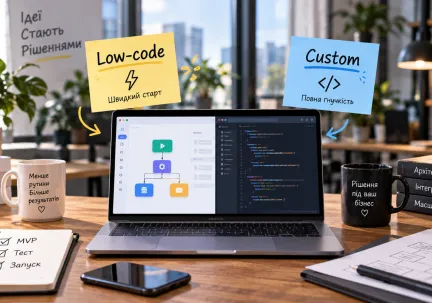
A modern web developer is faced with the need to choose between traditional and modern approaches to website architecture. Serverless technologies and headless CMS have become important tools for creating scalable, flexible and efficient web projects. In this article, we will consider the advantages of these technologies compared to traditional architectures, as well as popular platforms and real-world examples of their application.
Comparison with traditional architectures
Traditional architecture
In traditional web architectures, servers are constantly running, processing user requests. This requires significant resources to maintain the server infrastructure, even when traffic is low. Such systems often have complex scaling and update mechanisms, which can lead to delays and additional costs.
Serverless architecture
Serverless technologies allow you to run code in response to events without having to manage servers. Platforms like AWS Lambda, Azure Functions, and Google Cloud Functions automatically scale resources based on load, which provides high efficiency and lower costs. This is especially useful for applications with unpredictable or variable traffic.
Comparison
Characteristic | Traditional architecture | Serverless architecture |
| Scaling | Manual | Automatic |
Cost | Fixed costs | Pay-per-use |
Management | High | Minimum |
Flexibility | Limited | High |
Load support | Limited | High |
Advantages and capabilities of headless CMS
What is a headless CMS?
Traditional CMSs like WordPress combine content management with front-end display. Headless CMS separates these two aspects by providing an API to deliver content to any platform: website, mobile app, IoT device, etc.
Advantages of headless CMS
- Flexibility in choosing technologies: the ability to use any frontend frameworks, such as React, Vue, Angular.
- Scalability: Thanks to the API-oriented architecture, it is easy to adapt the system to growing needs.
- Loading speed: the lack of unnecessary code on the frontend allows you to reduce page loading time.
- Security: Separating the backend from the frontend reduces the risk of attacks.
Multimedia support: convenient content management for various communication channels.
Comparison
Characteristic | Traditional CMS | Headless CMS |
Frontend dependency | High | Low |
Flexibility | Limited | High |
Channel support | Limited | Wide |
Scalability | Limited | High |
Security | Medium | High |
Popular platforms and examples
Serverless platforms
- AWS Lambda: A popular platform for running code without managing servers.
- Azure Functions: Microsoft's platform for serverless computing.
- Google Cloud Functions: a service from Google for processing events without the need to manage infrastructure.
Headless CMS
- Strapi: an open platform for creating API-driven CMS.
- Contentful: a cloud-based content management platform with API access.
- ButterCMS: CMS with a simple API for integration with various platforms.
Real examples
- Samsung Electronics Germany: The move to a headless CMS allowed for a cross-channel membership platform that quickly responds to local needs and increases user engagement.
- Komax: The transition from a monolithic architecture to a composable, cloud-based technical stack improved site performance.
The choice between traditional and modern architectures depends on the specifics of the project. Serverless technologies and headless CMS offer flexibility, scalability, and efficiency, which makes them attractive for modern web projects. However, it is important to consider security requirements, budget, and the technical capabilities of the team before making a decision.
Just one step to your perfect website